Now available · 45 days free

Every secret, sealed.

Crestora Vault is a local‑first, zero‑knowledge password & passkey manager. Your logins, cards and notes live in one encrypted file on your device — synced through your own cloud folder, so we can never see them, and neither can anyone else.

Crestora VaultLocked
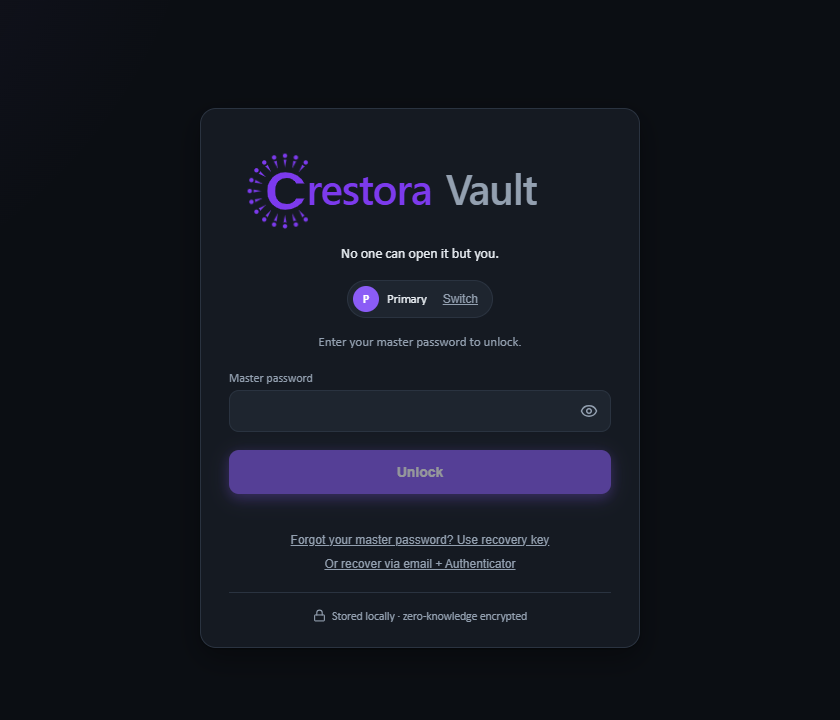
No one can open it but you.
Master password
👁
🔒 Stored locally — zero‑knowledge encrypted

What it does

Zero‑knowledge by designArgon2id + AES‑256‑GCM + X25519 sealed boxes. Your master password never leaves your device.
Everything in one vaultLogins, cards, secure notes and identities — with search, folders and favorites.
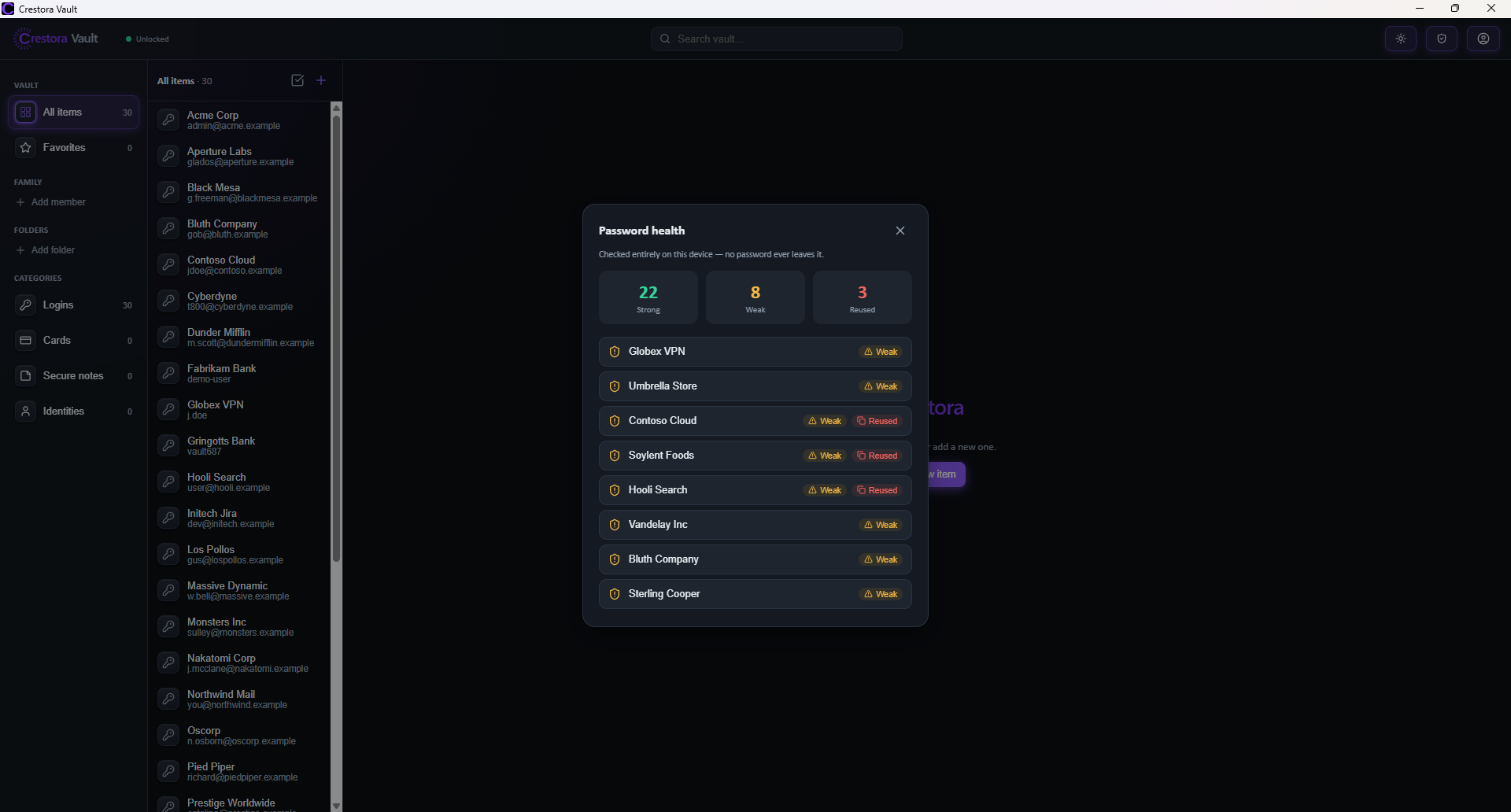
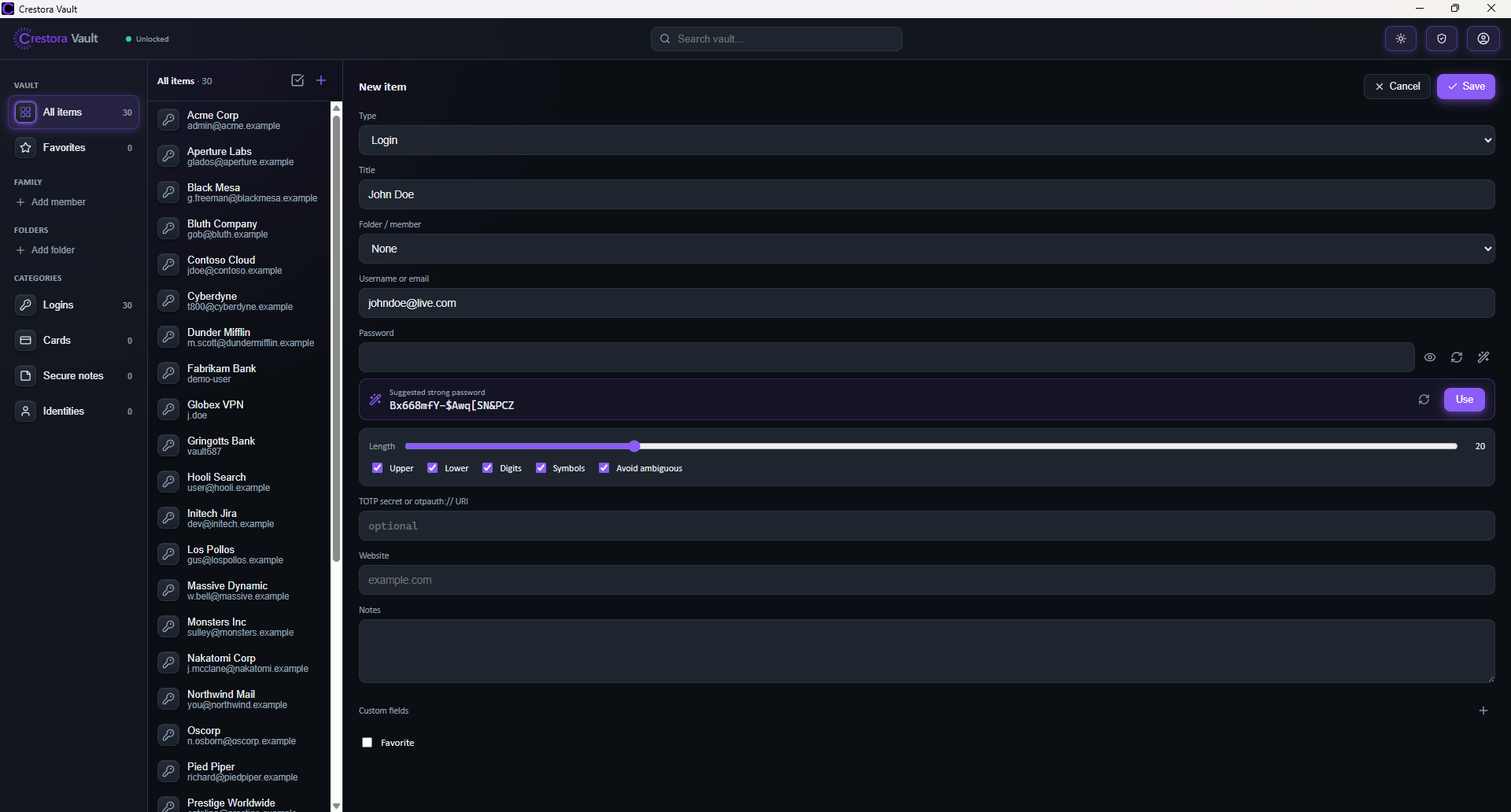
Generator & password healthBuild strong passwords and catch weak or reused ones — all checked offline.
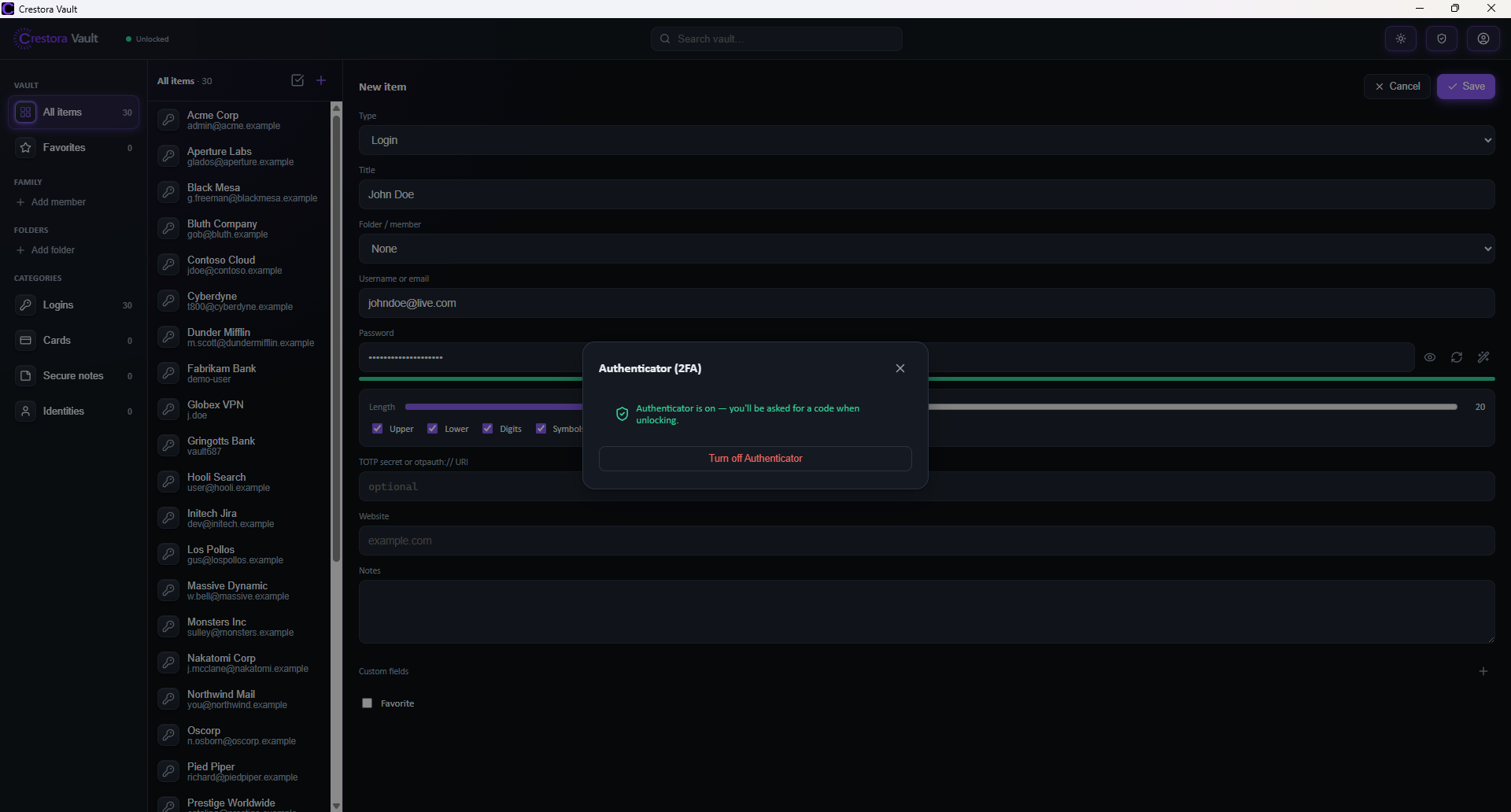
Built‑in 2FALive TOTP codes, plus an optional Authenticator gate to unlock the vault itself.
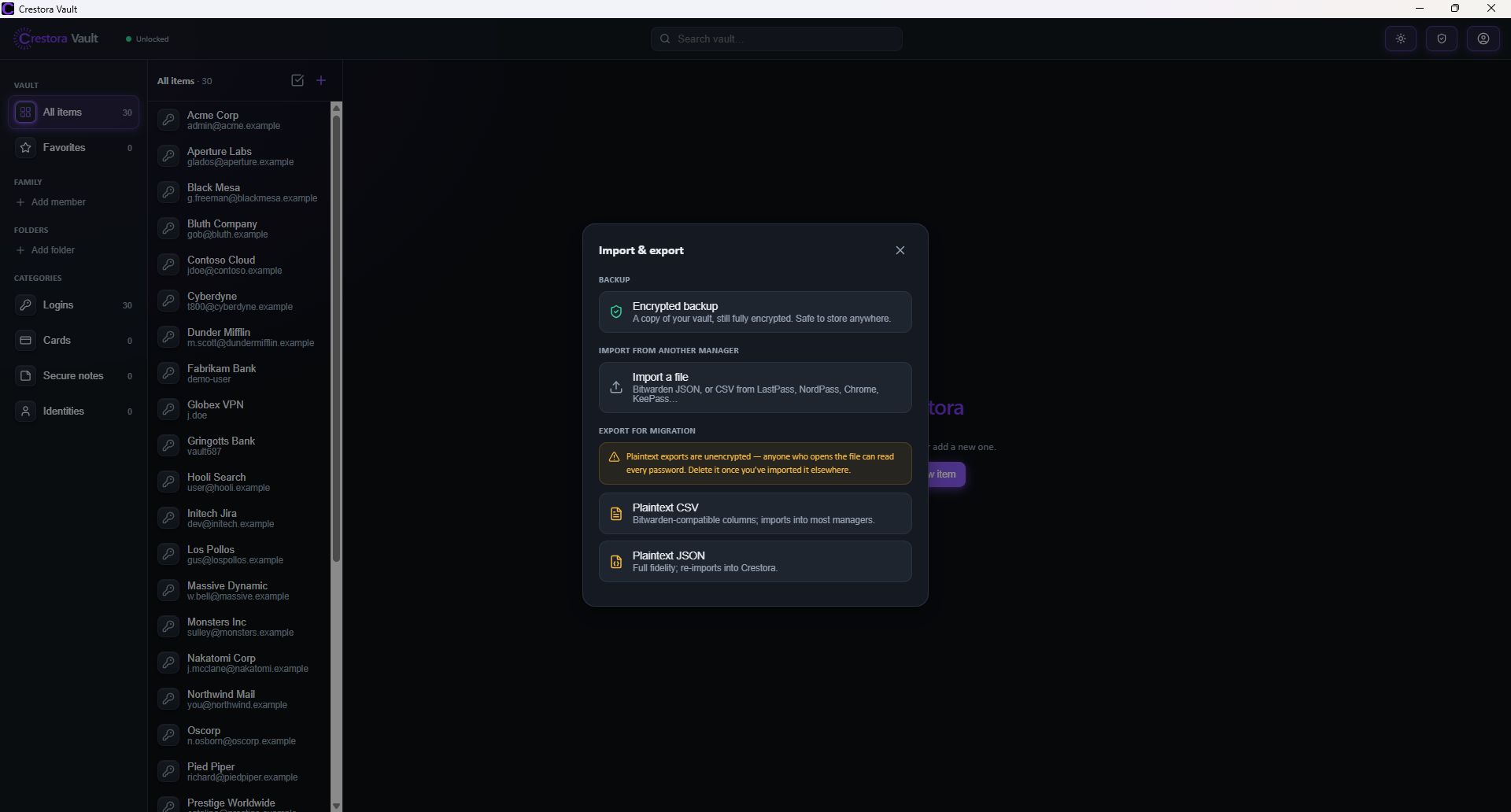
No lock‑inImport from LastPass, NordPass, Bitwarden, Chrome or KeePass. Export anytime.
Your file, your cloudOne encrypted file on your device, synced through a cloud folder you control. Your data never touches our servers.

Choose your plan

IndividualFor Windows and macOS
$19.99$29.99per year
★ Founder offer · Save 33%
  • Zero‑knowledge, end‑to‑end encrypted vault
  • Only you hold the key — trust no server
  • Passwords, secrets & documents in one place

$0 today · free for 45 days · cancel anytime. Founder price $19.99/yrlocked for life while you stay subscribed.
⏰ Ends Oct 15 — then $29.99/year

CorporateFor teams
Coming soon
  • Shared team vaults with role‑based access
  • Admin console to invite & manage seats
  • Centralized, encrypted secret sharing
Coming soon

Pricing announced at launch.

Get Vault on your device

WindowsWindows 10 & 11 · 64-bitDownload for Windows
macOSApple Silicon · M1/M2/M3/M4Download for Mac

Signed & notarized by Crestora Property Group LLC · free for 45 days, no charge today.

Also on mobile

AndroidPhone & tabletComing soon
iPhone & iPadiOSComing soon

Coming to Google Play and the App Store — and as a direct download right here.

Autofill in your browser

Fill logins with one click. Add the extension for your browser below, then install the desktop app — it connects the two automatically, with nothing to configure:

Also works in Edge and Brave (they install from the Chrome Web Store). Safari support is in development. The desktop app must be running and unlocked for autofill — no config files, no pasting keys, no admin rights.

How it works

1Set a master passwordOne password unlocks everything — and it never leaves your device.
2Add or importBring your logins in from any manager, or add them as you go.
3Sync your wayKeep the one encrypted file in your own cloud folder. Zero‑knowledge, everywhere.

See it in action

Unlock screen
Unlock — no one can open it but you
Password health
Password health — weak & reused, checked offline
Password generator
Built-in generator — strong passwords instantly
Built-in 2FA
Built-in 2FA — Authenticator gate & TOTP
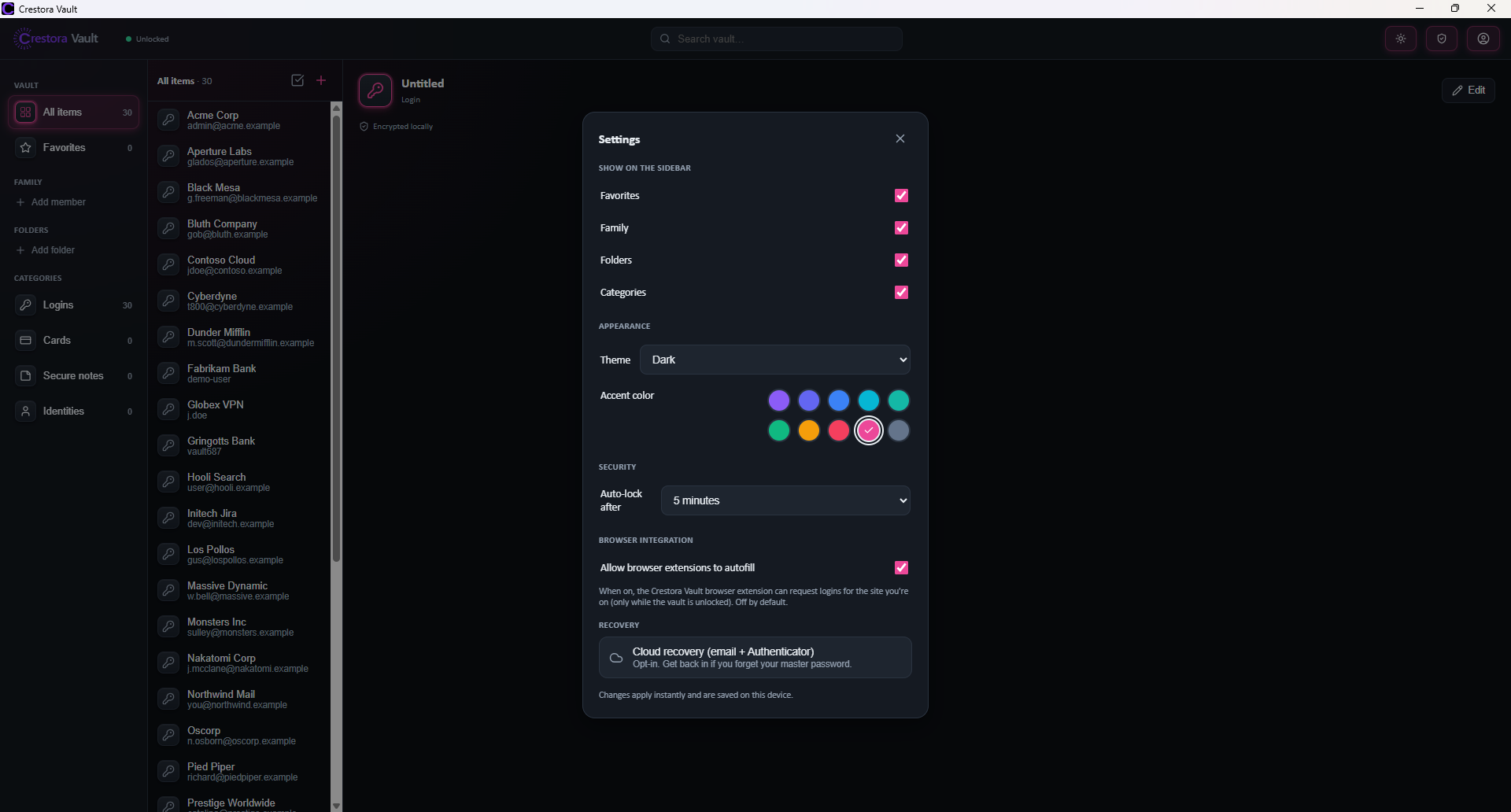
Themes and accent colors
Make it yours — themes & accent colors
Import and export
No lock-in — import from any manager

Own your passwords. Trust no server.

Launching soon. Join the early‑access list and be first to lock down your digital life.

© 2026 Crestora Property Group LLC. All rights reserved.